CASE
CASE WHEN [Status] == 'In Dev' THEN 'In Progress' WHEN [Status] == 'In Testing' THEN 'In Progress' ELSE 'Done'Syntax
CASE WHEN (logical expression) THEN (expression to return) ELSE (expression to return)
The CASE function goes through conditions and return a value when the first condition is met.
logical expression: An expression that produces a Boolean value when evaluated, i.e. one of TRUE or FALSE. The combination of data fields, constants, text, numeric and date expressions with logical operators >,<,>=, <=, != and etc. can be used to create logical expressions
expression: Any numerical, date or logical expression can be used
Use cases
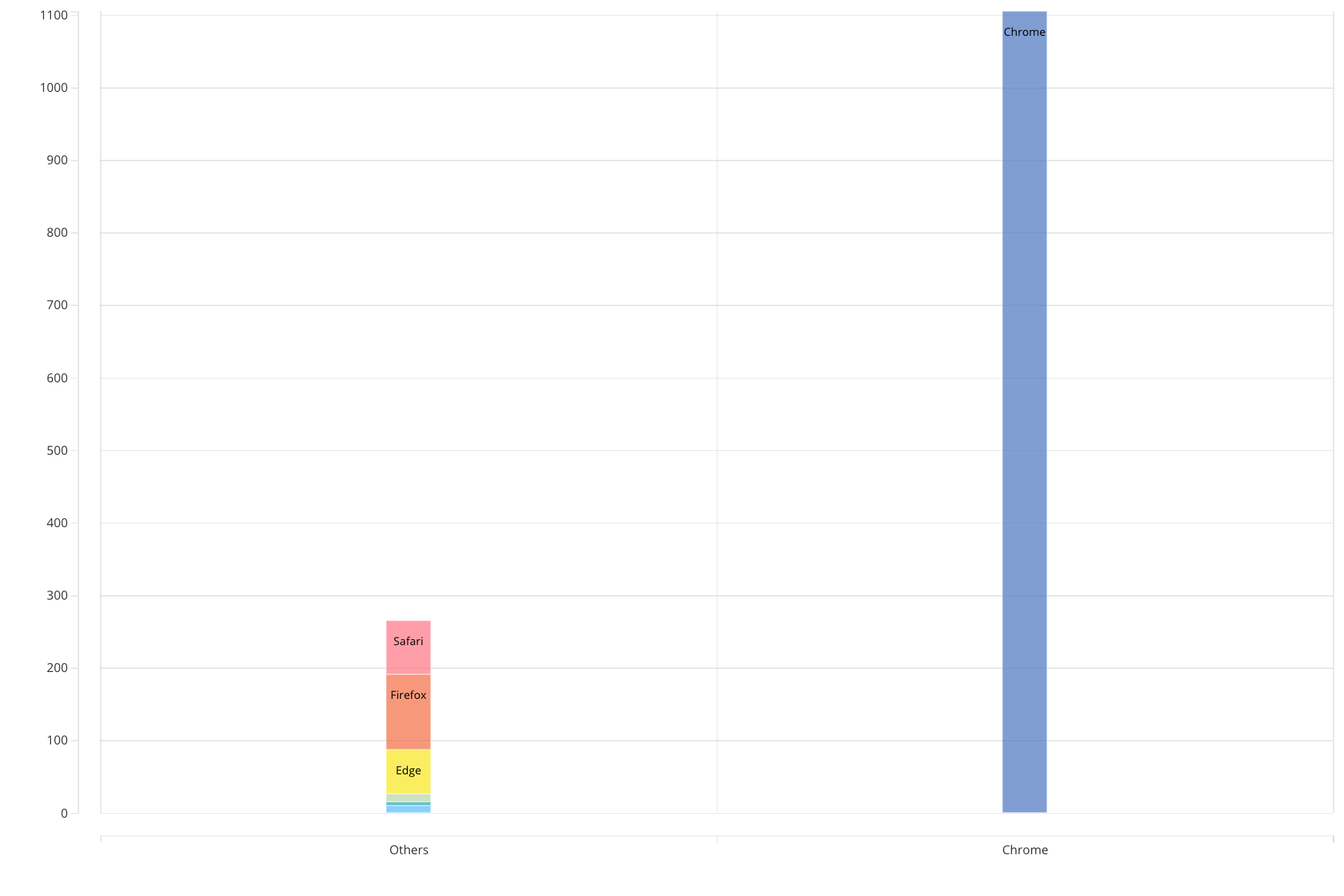
Chrome total domination
Compare chrome browser usage vs all other browsers usage.
Source: Browsers
Browser usage stats of the product in last month
| Browser | Sessions | Users |
|---|---|---|
| Chrome | 6395 | 1105 |
| Firefox | 376 | 104 |
| Safari | 288 | 74 |
| Edge | 215 | 61 |
| Opera | 37 | 11 |
| Internet Explorer | 32 | 10 |
| YaBrowser | 15 | 5 |
Chart STACKED-BAR
X: CASE WHEN [Browser] != 'Chrome' THEN 'Others' ELSE 'Chrome'
Y: SUM([Users])
COLOR: [Browser]
LABEL: [Browser]
| CASE WHEN Browser != 'Chrome' THEN 'Others' ELSE 'Chrome' | SUM(Users) | Browser |
|---|---|---|
| Others | 74 | Safari |
| Others | 104 | Firefox |
| Others | 61 | Edge |
| Others | 11 | Opera |
| Others | 5 | YaBrowser |
| Others | 10 | Internet Explorer |
| Chrome | 1105 | Chrome |